Budgets and Reports

HOA budgets and reports your board can work from

Build the next budget with your financial history in view, then follow how the year is unfolding. HOA Central helps volunteer treasurers and in-house managers prepare budgets, compare results and give the board financial information it can use.

Book a financial reporting demo
Comparison of three fiscal years

Start the next budget with the numbers you already have

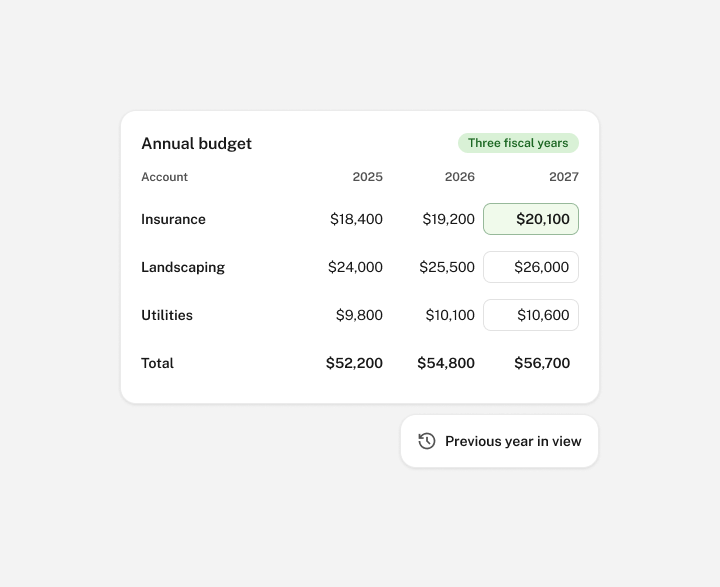
Budget season is easier to organize when last year’s figures and the next year’s plan are available together. Compare three fiscal years side by side and use the previous year as a reference while preparing the new budget.

Your board can review recurring expenses such as insurance, landscaping and utilities with that history in view. The numbers provide a starting point for discussing expected changes, while the board decides which assumptions belong in the plan.

Annual and monthly budget amounts

Work with annual totals and monthly amounts

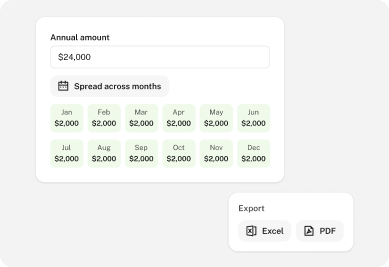
Enter annual or monthly budget values and spread an annual figure across the months. That gives the person preparing the budget a practical way to work through accounts without rebuilding the calculation in a separate spreadsheet.

More detail

Review the monthly amounts against when your community expects costs to occur. A seasonal service and a recurring monthly bill may need different planning assumptions. Export the budget to Excel or PDF when board members need a working copy for review.

Budget and actual financial results

Compare the plan with what has actually happened

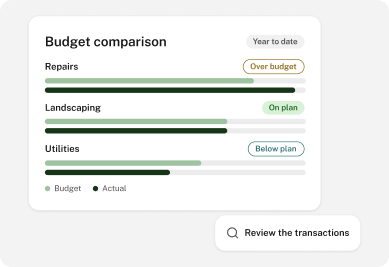
Use comparative statements to review actual income and expenses against the budget and prior-year figures. Differences become specific questions the board can investigate, such as why repairs cost more than expected or why income was lower for the period.

More detail

The accounting records provide context for those questions. Review the relevant transactions and supporting information before deciding whether a difference reflects timing, an unexpected expense or an assumption that needs another look.

Reserve fund statement

Keep operating and reserve activity easy to distinguish

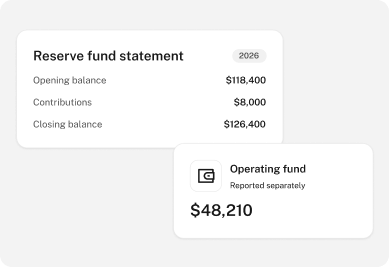
Your board needs to understand everyday operating activity alongside the money recorded for future work. Accounting divisions, reserve fund statements and capital account reporting help keep those parts of the financial picture distinct.

More detail

Review recorded reserve balances and activity when discussing a repair or planned project. Clear reporting helps the board explain what is in the accounts and what has changed, using the community’s configured financial structure.

Choose reports that answer the questions in front of you

Different reports explain different parts of the community’s finances. Give your board the information it needs for the discussion, with the reporting period clearly identified.

Available financial reports
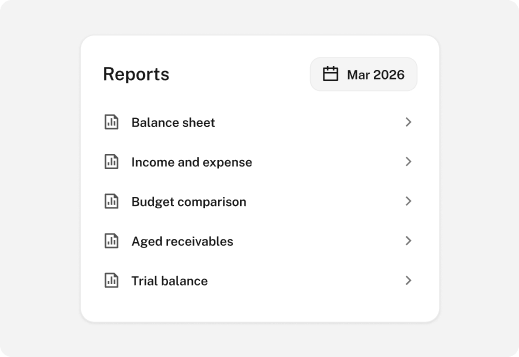
  • Balance sheets show recorded assets, liabilities and fund balances at a point in time.
  • Income and expense statements show financial activity for the selected period.
  • Budget comparisons put actual results alongside the plan and prior-year figures.
  • Aged receivables and payables help identify outstanding owner balances and supplier bills.
  • Trial balances support the review of general ledger account balances.

Prepare a consistent monthly board package

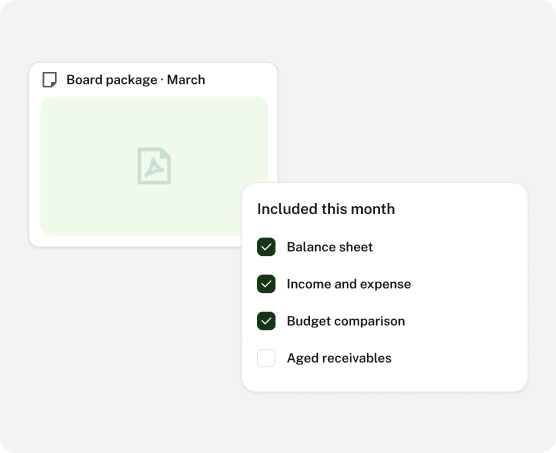
Assemble financial statements, budget information and supporting schedules into one monthly PDF package. A consistent set of reports gives board members a shared starting point before the meeting.

Your treasurer or in-house manager can use that package to explain significant changes and collect questions. Choose the reports relevant to your HOA, check the reporting period and review the figures before sharing them with the appropriate recipients.

Monthly board financial package

Make financial reporting easier to continue

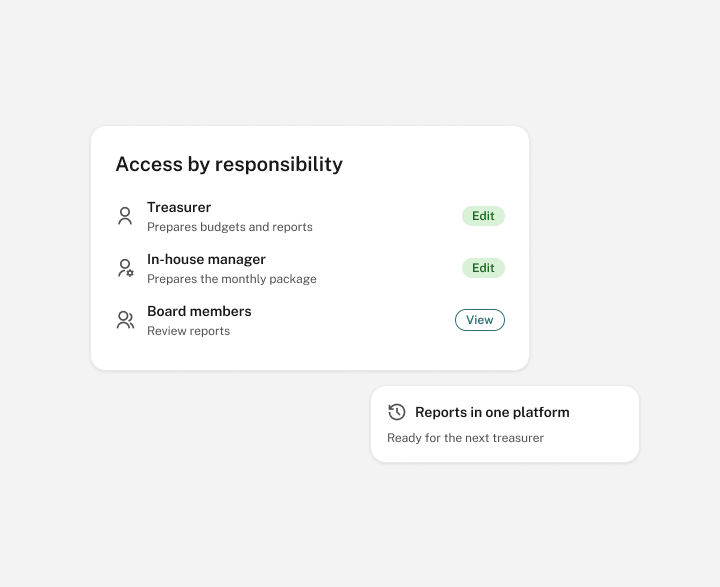
When a treasurer steps down, the next person needs to understand how the budget was prepared and which reports the board uses. Keeping financial records and reporting in the same platform makes that handover more manageable.

Set access around each person’s responsibilities. A volunteer board and an HOA with an in-house manager can divide preparation and review while keeping the relevant information available to authorized users.

Financial report access by responsibility
FAQ

Frequently asked questions

Can we compare more than one fiscal year while budgeting?

Yes. The budgeting tools support three fiscal years side by side, so you can refer to previous figures while preparing the next budget. The board still reviews assumptions and approves its plan through the community’s established process.

Can we work with monthly amounts as well as an annual total?

Yes. You can enter annual or monthly budget values and spread an annual amount across the months. Review the allocation so it reflects the timing assumptions your board wants to use.

Which financial reports can our board use?

Available reports include balance sheets, income and expense statements, budget comparisons, trial balances, aged receivables and payables, reserve fund statements and capital activity. Select the reports that fit your community’s accounts and the questions being reviewed.

Can we create one package for the monthly board meeting?

Yes. The accounting platform supports a monthly PDF package containing financial statements, budgets and financial schedules. The person preparing it should review the contents and share it with the appropriate recipients.

Can we export information for further review?

Budget information can be exported to Excel or PDF, and the accounting tools support report exports. This gives the board or its adviser a working copy while your community maintains the underlying accounting records.