

How to Set Up Online Payments for Your Self-Managed HOA
Written by: Stephen Smellie
Published on: April 29, 2026
If you’re on the board of a self-managed HOA, it’s just you and your fellow volunteers making decisions, keeping the community running, and chasing down dues payments every single month. And you’re not alone. Community associations house about 78.1 million residents, yet 30-40% of those associations operate without professional management. Many of them are doing exactly what your board might be doing right now: waiting on checks in the mail, making bank runs, and manually reconciling payments in spreadsheets.
The treasurer tracks who paid, who didn’t, and does the follow-ups. Delays make cash flow unpredictable. And through all of it, nobody’s getting paid for their time. According to the Independent Sector, volunteer time costs $33.49 per hour. A treasurer putting in 5 hours a month handling paper checks is donating more than $2,000 a year in unpaid labor.
That’s labor that an online payment platform could largely eliminate. And when you add the errors and delays on top of the labor costs, the real cost of manual dues collection is just insane. Online payments are just a smarter way to run your association. And in this guide, I’ll walk you through the entire journey on how to set up online payments for your self-managed HOA.
Check your governing documents

Before you implement anything, check your CC&Rs and bylaws. Probably, they already specify which payment methods are permitted, how fees must be disclosed, and what procedures are required. Build your payment options around what those documents allow. And if there are no provisions, I suggest you hold a meeting and let homeowners vote on whether they’re ready to switch to online payments.
Choose the right payment platform
The payment platform you pick will either make dues collection invisible or turn it into a monthly headache, just like in the case of cheques. Three options I suggest you look into:
Your HOA’s bank
Some banks bundle basic online payment tools with your account. I think this option is only applicable for very small HOAs because of some inconveniences it comes with. For example, homeowners have to create a separate bank login to use it. And if your community spans multiple banks, you’ll have trouble with this option.
A third-party payment processor
These platforms accept more payment types and can plug into your HOA website. The tradeoff is a fee stack that compounds quickly, such as monthly platform fees, per-transaction cuts, and a transfer fee every time money moves to your actual bank account. Also, most processors are about making payments, and won’t help with the more time-consuming and complex issues like payment reconciliation.
Dedicated HOA management software
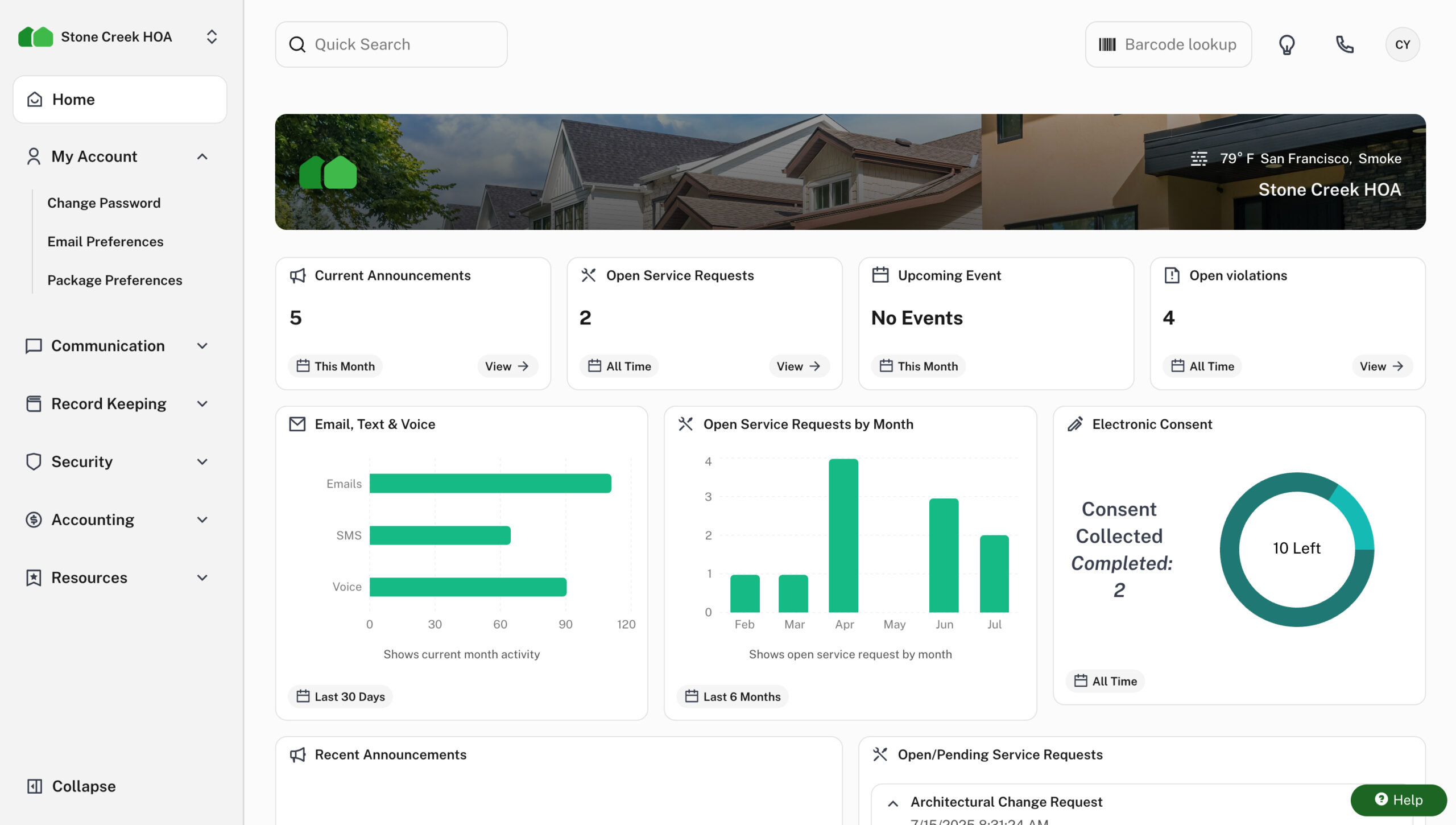
Unlike the other options, having a dedicated software puts everything together. Payments, invoices, delinquency tracking, and financial reports live in the same system. That means when a homeowner pays, your ledger updates automatically. You eliminate manual entry and end-of-month reconciliation. But before you commit to any HOA management platform, run it through these checkpoints:
- Integration: Does it connect with your existing systems, like the accounting system?
- Security: Look for data encryption, secure login, and fraud protection. Ask for their security certifications.
- Support: Is help available when you need it, or are you on your own after business hours? I suggest you go for a platform that offers 24/7 customer support.
- Ease of Use: The platform needs to work for every homeowner in your community, including those who aren’t tech-savvy. For that, I suggest a platform that offers a mobile app, or at least a website portal that is mobile responsive.
- Reporting: Your treasurer should be able to pull payment reports without jumping through hoops. This is non-negotiable, and probably is the main reason you want to go the online payment route.
Decide which payment methods to accept
Once you’ve chosen a platform, decide what payment options to offer homeowners. Again, this is something you can discuss in the meeting and let the homeowners vote (but I suggest you incorporate as many options as possible). Here’s a breakdown:
Credit cards
In this age and time, I believe everyone knows credit cards. Homeowners can set up autopay, earn rewards, and manage short-term cash flow. The tradeoff is the processing fee, which is around 2.95% per transaction. On a $300 monthly assessment, that’s $8.85 per payment, which is $106 per homeowner per year. For a 100-unit community absorbing that cost, you’re looking at over $10,000 annually in processing fees. You can pass the fee on to homeowners as a convenience fee, but either way, it needs to be disclosed up front.
Debit cards
A middle ground for homeowners who want the convenience of a card without carrying credit card debt. The good thing with debit cards is that they carry a flat convenience fee per transaction rather than a percentage.
ACH transfers
This is the gold standard for HOA dues collection. In fact, Christopher J. Shields, a partner at Pavese Law Firm and an HOA attorney, says that ACH payments are by far the more proper way of accepting payments because they’re actual cash transfers. It’s also better for the HOA, which typically has a lower delinquency rate as a result.
And ACH usage speaks for itself. According to Nacha, the governing body of the ACH network, ACH transactions hit 31.5 billion in 2023, up 4.8% from the prior year. Tens of millions of Americans already use ACH for payroll, mortgages, and utilities.
Once a homeowner enrolls in ACH, payments move automatically, on time, every month, and without any action required on their part or yours. There’s no fee for homeowners, which makes it an easy sell. The most common pushback is reluctance to share bank account information. For this, I suggest you let homeowners know that the bank receives and handles that data, not your HOA.
eChecks
The easiest way to understand eChecks is to think of them as the digital version of a paper check, drawn directly from a homeowner’s checking account and processed electronically. Like ACH, eChecks are free for homeowners, making them cost-effective for both sides.
Digital wallets (Venmo, Zelle, PayPal)
I’d encourage your board to think carefully before going down this road. These apps are convenient for splitting a dinner bill, not things like HOA dues collection. They don’t integrate with most accounting software without third-party APIs, which means manual record-keeping on your end.
Something else, starting in 2025, collecting over $600 through these platforms triggers additional tax reporting requirements. And most critically, board members should never accept dues into a personal account. That commingling of funds can constitute a breach of fiduciary duty.
There’s also a fraud risk that often goes overlooked. For example, Zelle transfers are irreversible. If your board wants to explore these tools, consult your HOA attorney first and set up a dedicated business account.
Link your HOA’s bank account
Before you connect anything to a payment platform, you need to make sure your HOA’s banking structure is in order. Your association must have a dedicated bank account, separate from any personal or board member accounts. At a minimum, your HOA should have two accounts:
- An operating account for day-to-day transactions such as collecting dues, paying vendors, and covering utilities. This is where homeowner payments will land.
- A reserve account for long-term capital savings for money set aside for future major repairs and replacements, like roofing, paving, or pool equipment.
To open a dedicated HOA bank account, you’ll need the association’s EIN, Articles of Incorporation, bylaws, board meeting minutes authorizing the account, and identification for the authorized signers.
All board members should have read access, with the treasurer as the primary account manager. For withdrawals above a set threshold, I recommend requiring at least two signatories.
When shopping for a bank, I recommend you go for institutions that have experience with HOAs. They understand what associations need and are more likely to integrate with the HOA management system.
How to link
The process depends on the system, but it’s something like: logging in to your payment platform, navigating to the banking section, and connecting your operating account using your bank’s online credentials. After verifying with a security code, select the account.
Once your account is linked, the platform syncs transactions automatically. Your board can reconcile entries, assign them to the right budget categories, and monitor the association’s financial position in real time without cross-referencing printed bank statements against a spreadsheet.
Set up your dues structure and invoicing
With your bank connected, the next step is configuring how your HOA actually bills homeowners. Before touching any settings in your platform, make sure your dues structure is clearly defined. The types of charges a HOA collects:
- Regular dues: The recurring monthly or quarterly fees that fund operating expenses and reserve contributions. Every homeowner pays them, and they form the financial backbone of your community.
- Special assessments: One-time charges levied on all homeowners to cover expenses that exceed available reserves, such as emergency repairs, major renovations, and capital projects that weren’t fully funded. Most governing documents require some form of homeowner approval before a special assessment can be implemented. California, for example, requires membership approval for any assessment exceeding 5% of the current fiscal year’s budget.
- Fines and late fees: Penalties for rule violations and missed payments. These are not assessments, and your payment platform should never treat and record them as such.
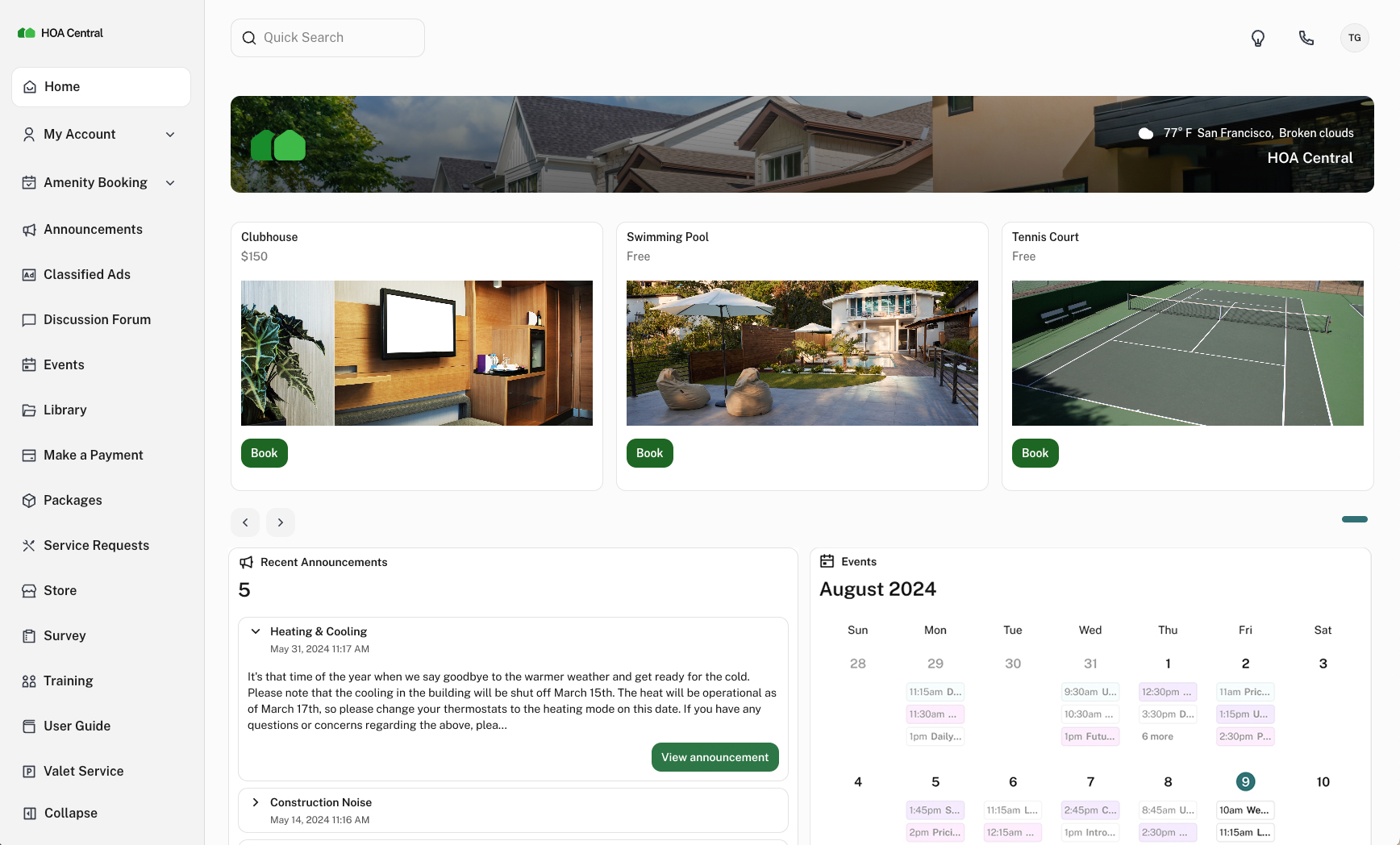
- Amenity usage: Reservation charges for usage of HOA amenities such as clubhouses and swimming pools.
Calculating your dues
Your board drafts an annual operating budget. Divide this budget across all homeowners. For instance, if the budget is $180,000 and your community has 100 homes, that’s $1,800 per year, or $150 per month. If your reserve fund requires an additional $24,000 annually, dues increase by another $20 per month.
The association then directs 15-40% of its annual budget toward the reserve fund. Configure this fee structure in the portal so the platform knows how much goes to which account.
Billing cadence
Most HOAs bill monthly because it creates a predictable, consistent cash flow. Quarterly and annual billing cuts down on invoicing frequency, but it also creates larger lump-sum payments that some homeowners struggle to absorb. Your governing documents will specify the required schedule. That’s the billing frequency you’ll enter in your online payment portal.
Automated invoicing
Once your dues amount and billing frequency are configured, the HOA platform should automatically generate and deliver invoices to homeowners on schedule by email, and through USPS mail for residents who prefer paper. Your treasurer can send invoices to the entire community in a few clicks rather than stuffing envelopes one by one.
Late fees and grace periods
Your governing documents will define the structure, but it’s something like: dues are due on the 1st, with a 10-15 day grace period, a $25-$50 late fee assessed after the grace period expires, and annual interest of 10-18% on unpaid balances. Something you shouldn’t forget: the maximum allowed rate is governed by the state.
Make these rules consistent across the board so you don’t end up with selective enforcement issues. When you set this up, the system applies fees automatically and sends delinquency reminders at each stage without manual follow-up.
Special assessments
I suggest you collect them through your invoicing system the same way you handle regular dues, but consider installments. For example, instead of a $3,600 lump-sum charge that creates panic, divide it into twelve payments of $300. That’s something homeowners can work with.
Onboard your homeowners
Getting homeowners to actually adopt the new payment portal requires deliberate, multi-step communication.
Before you send any registration links, lead with the benefits in plain language. Homeowners are more likely to engage when they understand what’s in it for them, such as the ability to view their balance and payment history anytime, pay from their phone, and never worry about a check getting lost in the mail. For example, you can do this:
- Email for instant delivery with a direct link to the portal
- A community newsletter for broader reach
- Text messages for time-sensitive updates and reminders
- Physical mail for homeowners who prefer paper
- Your next board meeting is so homeowners can ask questions one-on-one
Your announcement should cover: what the system is and why the board made the switch (just a recap of what homeowners already know and voted for); the platform name and URL; how to create an account; available payment methods; any fees and who bears them; due dates and billing schedule; and who to contact for help.
Alongside your announcement, put together a simple step-by-step guide walking homeowners through: creating their account, viewing their balance and payment history, making a one-time payment, and setting up autopay. Make that autopay setup link prominent in every communication you send.
For residents who aren’t comfortable with technology, provide printed instructions, offer phone support, and consider hosting a short community session. 30 minutes is usually enough for board members to walk through the portal live. Address security concerns proactively: remind homeowners that the platform uses bank-level encryption and PCI-compliant processing, and that their financial information is never stored on the HOA’s own servers.
Finally, designate the treasurer as the point of contact for payment-related questions, and include their contact information in every communication you send. For the best friction-free onboarding, I suggest you go for an AI-powered platform, as the AI Chatbots can accurately guide the homeowner on what to do.
Enable autopay and recurring payments
If there’s one feature in your payment platform worth championing above all others, it’s autopay. Once a homeowner sets it up, that’s it. A PYMNTS study found that 39% of consumers pay monthly bills on time specifically because of automatic payments, not because they’re more responsible, but because autopay removes the need to remember.
A 2023 working paper published by the CFPB and the National Bureau of Economic Research found that autopay enrollment was associated with a 40 percentage point decrease in delinquency. With autopay, payments happen on schedule, every month, without anyone doing a thing. There’s another benefit: consistency. When payments are automated, your treasurer doesn’t have to track who paid and who didn’t. Your collection policy applies the same way to everyone.
When autopay fails because of things like an expired card and insufficient funds, the homeowner gets a notification to resolve it, and your board’s delinquency dashboard flags it. And to avoid fine issues, make sure you have a written collection policy that outlines escalating steps for failed and missed payments. It’s worth understanding how the different autopay options actually work, though:
Recurring payments
Recurring payments are set up directly through your HOA’s payment portal. The homeowner enters their payment method, selects a frequency, and the system charges them on schedule.
Bank bill pay
This is when you choose to use the basic bank bill payment option. It is worth addressing separately, because it’s commonly misunderstood. When a homeowner sets up a payment through their personal bank’s bill pay system, it looks like an electronic payment, but unless that bank has a direct relationship with your HOA, the payment is processed as a physical check.
That means mail transit time, potential delays, and a risk of triggering late fees despite the homeowner’s good intentions. Encourage your residents to use your HOA’s portal directly rather than their bank’s bill pay feature.
Final thoughts
Setting up online payments shifts how your board operates day to day. Invoices go out automatically, payments post without anyone entering payment details manually, autopay handles the follow-through for the majority of your community, and your board has real-time visibility into who has paid and where the association’s finances stand. Something that’ll still remind you: the platform you choose determines how smooth things will be, and that’s why I recommend platforms purpose-built for HOA management. Such a platform handles dues collection, accounting, communications, and fines in a single system. The platform is also able to separate operating and reserve funds, reconcile accounts, and generate the reports your board needs for meetings and audits.